
Turn your photo into a cartoon, a claymation figure, or a dog
Twenty-four AI photo looks, from claymation and comic book to a 1920s portrait and a studio headshot. The same faces and the same grouping, somewhere else entirely.
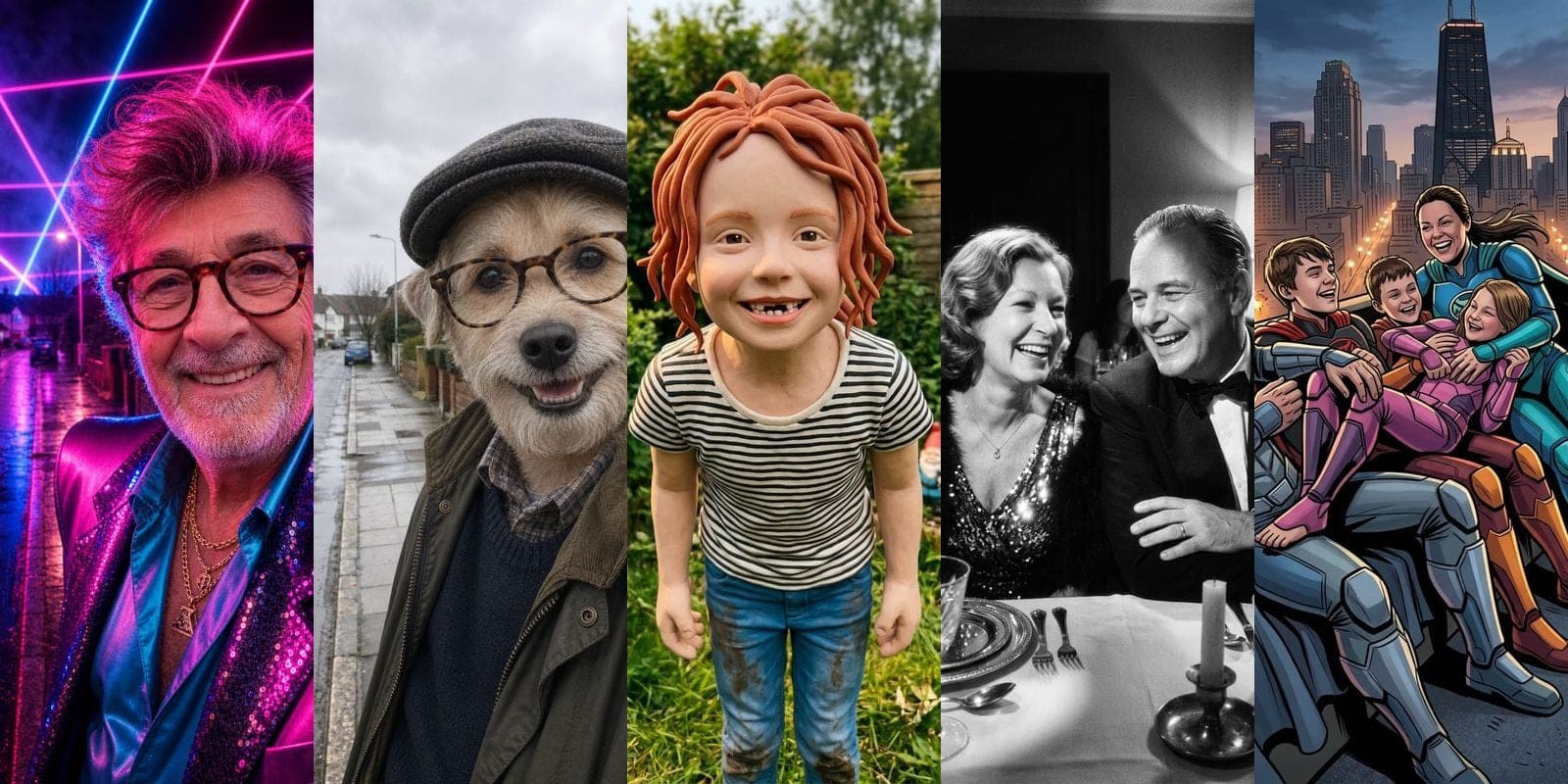
One photo, twenty-four ways
Photobooth, the photo tool inside Trumbone, takes a picture you already have and puts the people in it somewhere else. Not a filter laid over the top of the photo, and not a new person who happens to resemble you. The same faces, the same grouping, the same expressions, rendered as a claymation figure, a 1920s portrait, a comic panel, or a dog.
There are twenty-four looks live today. Pick one, give it a photo, and about twenty seconds later you have the result. The first several are covered by the signup grant, so you can find out whether it works on your face before you pay for anything.
What the looks actually are
They fall into four groups, and the group tells you more than the name does.
Playful is the illustrated end: cartoon, anime, comic book, claymation, pop art, and the two that outperform everything else on the list, which are as a dog and as a cat. The photo becomes a drawing, and the thing that makes it work is that it stays your drawing. The little gap in a front tooth survives into the plasticine.

Nostalgic moves the photo through time: vintage fifties, old Hollywood, roaring twenties, seventies, eighties yearbook, neon eighties, sepia heirloom, oil portrait. These are the ones people send to their parents. A sepia heirloom of a photo taken last Tuesday is a strange and good thing to receive.


Costume is dress-up: superhero, viking, western, astronaut, royalty, enchanted. Six ways to be somebody else for one photograph, and the reason the group exists is that a costume look has to change everything about a person except the part that makes them them.
Glow-up is the practical corner: enhanced, studio headshot and storybook. A phone snap against a kitchen wall comes back as something you can put on a profile. This is the group people arrive for by accident and stay for.
Choose the look first
The flow used to ask for a photo before it would show you anything. That is the wrong order. Nobody wants to upload a picture of their family to a page that has not yet demonstrated what it does with it, and asking for the chore before the reason is a good way to lose someone on step one.
So the gallery comes first. Twenty-four cards, each showing a real result, hover to see the photo it came from. Pick the one you want, then hand over the photo. By the time you upload anything you already know exactly what you are going to get back.
And the photo does not have to be a new upload. Anything you have already run through Photobooth is one tap away, and so is anything in your media library. A source you have used before is already validated, stripped and checked, so reusing it costs nothing and needs no second pass.
What happens to your photograph
Worth being plain about, because it is a picture of your family.
Every upload is decoded, validated and stripped of EXIF before anything else touches it. That strips the GPS coordinates your phone wrote into the file, which on a photo taken at home is your home address.
The image is checked before it is generated from, and the result is checked before it is shown to you. Both gates are blocking. If the checking service is unavailable, the upload is held rather than waved through, because an outage in a safety check must never become the route around it. You get told to try again in a moment, and you are not charged.
Results live behind short-lived signed links minted after an ownership check, never a permanent URL. And the marketing images on this page and throughout the product are not customers' photographs. They are a synthetic set built for the purpose, which is why we can publish them at all.
The identity question
The hard part of this product is not making a pretty picture. It is making a pretty picture that is still recognisably the person who uploaded it.
That is what decides the model, and it is why every look runs on the same one. We tested the alternative extensively and the failure mode was consistent: the image would be beautiful and the person would be a stranger. Group photos were worse, because a model that drifts on one face drifts independently on five.
We also tested paying for the highest quality tier. It cost four times as much, took three times as long, and did not fix identity. So it is not what you are charged for. Every look runs at the tier that actually holds the face, at one flat price.
What it costs
Eight tokens per photo, whichever look you pick. The look changes our cost, not your price, and a flat number is easier to reason about than a menu.
The signup grant covers your first several before you have paid anything. After that you are buying tokens, and a photo is a small fraction of what a video costs, which is deliberate: this is the thing you do twice on a Sunday, not once a quarter.
If a generation fails, or the safety check cannot complete, you are not charged. If something takes too long and gets swept up by the reconciler, that refunds too, and the two paths are built so they cannot both pay you.
Start here
Open Photobooth, scroll the gallery, and pick the one that makes you laugh. Everything you make is kept under Your looks in the sidebar, so the good ones are easy to find again when somebody asks how you did it.
The dog. Start with the dog.