
July 16, 2026·tutorials
Getting Great Characters in Trumbone
A consistent character is what makes a music video feel real. Here is how to describe, lock, and reuse one across every scene in Trumbone.
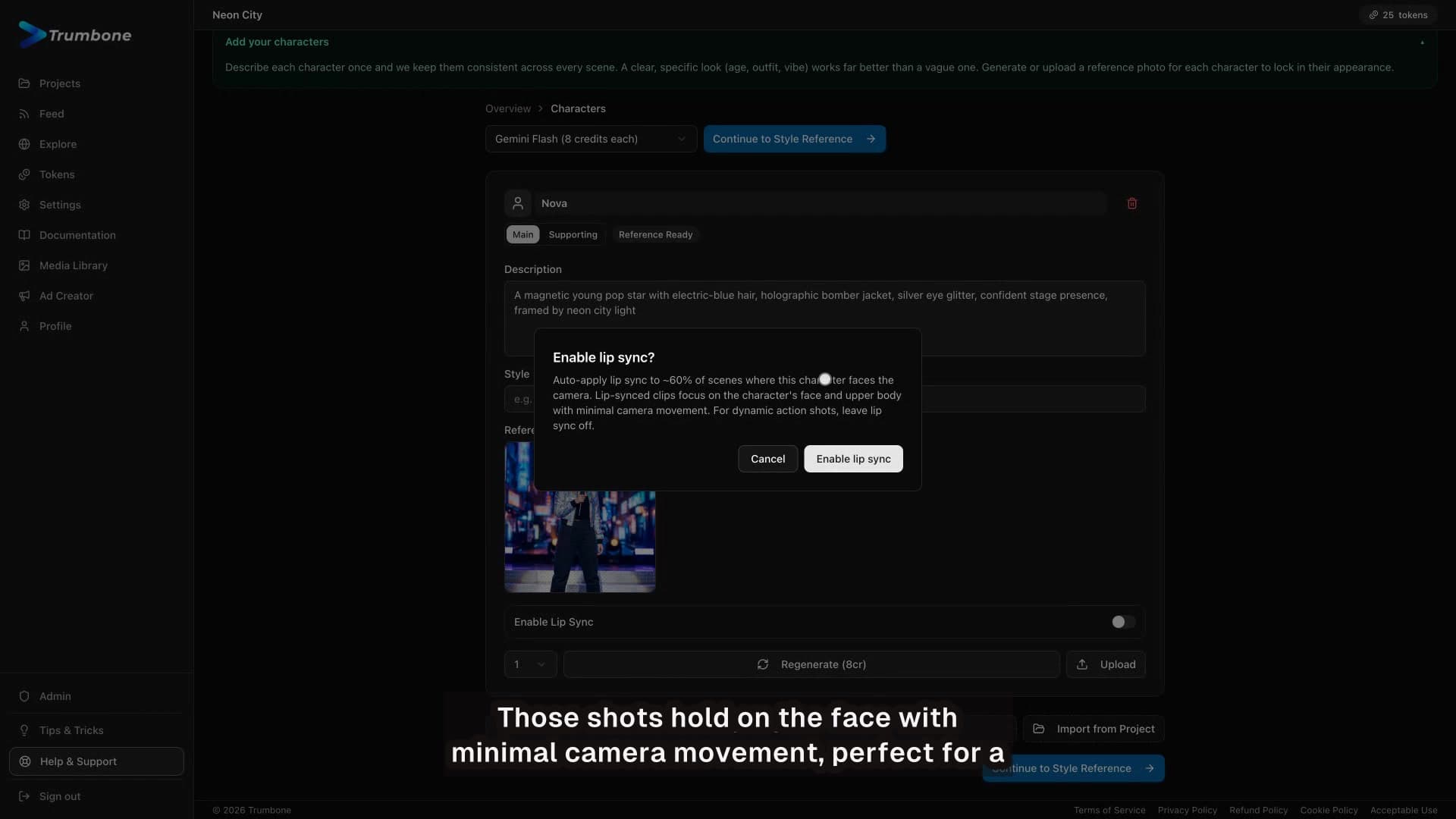
A music video lives or dies on whether your character looks like the same person in every shot. In this episode our host shows how to describe a character once, lock the look with a reference image, and let Trumbone keep them consistent across the whole video.
What you will learn
- Describe once, describe well. A clear character description up front is what keeps them consistent across every scene.
- One image locks the look. Generate a reference image, and if it is not right, regenerate until it genuinely is before you build on it.
- Upload or import. Already have a look you love? Upload your own reference or import from a project.
- Build the whole cast. Add every character your story needs, each with its own locked look.
- Lip sync, per character. Lip sync is a switch on the character, not a global setting, so you control who sings.
- The payoff, every scene. Once the reference is locked, the storyboard holds that character across the whole video instead of drifting into a pile of unrelated clips.
Nail the character once and the rest takes care of itself. Music videos in minutes. Start yours free at trumbone.com.