
How to turn listing photos into a real estate video
No shoot, no crew, no second visit. Open House builds a full walkthrough tour out of the listing photos you already shot, for about ten dollars, and hands you an editable timeline at the end.
Two bad options, and a third
Every agent knows the two options for a listing video. Hire a videographer, which means a quote, a scheduling call, a shoot day that has to line up with the sellers, and a turnaround measured in days. Or make it yourself, which means a slideshow with a Ken Burns zoom and a stock piano track that fools nobody.
The first is too expensive to run on every listing. The second is not worth posting. So most listings get no video at all.
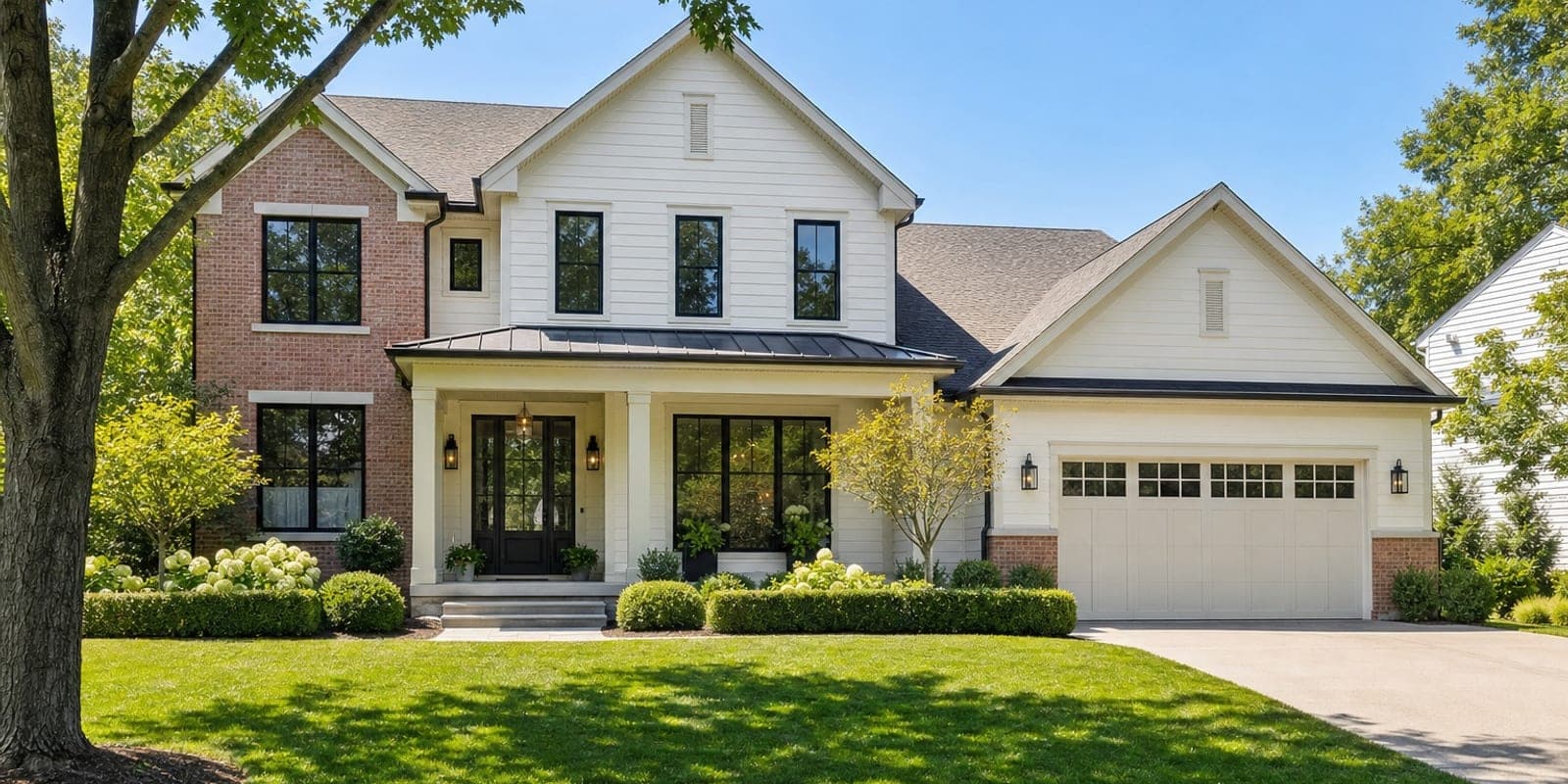
Open House, the property tour builder inside Trumbone, is the third option. It builds a full walkthrough tour out of the listing photos you already shot. No shoot, no crew, no second visit to the property. Three things make it worth your time, and they are speed, cost and control.
Speed: the photos are already the input
There is no capture step. The photos went to the MLS; the same photos make the tour. That removes the part of a video project that actually consumes the week, which was never the editing, it was the scheduling.
Upload eight to twelve photos. They do not need to be in order and they do not need labels. The build reads each one, works out which room it is, and sequences the set into walkthrough order rather than upload order: exterior, entry, living, dining, kitchen, primary bedroom, secondary bedrooms, baths, office, basement, garage, then the view, yard and pool on the way back out. Outside in, public rooms before private, finished outside. It is the order a good agent walks a buyer through a house.
Your part is about ten minutes: check the order, check the camera moves, pick a track, confirm. The clips then render in the background, and you can close the tab. If the browser goes away mid-build the tour repairs itself and finishes assembling the next time you open it, which was a real failure mode early on and is now handled.
Cost: about ten dollars a listing
A tour is priced per clip, at 46 tokens for a five-second shot, plus 5 tokens per export. A ten to twelve shot listing lands around 470 to 560 tokens all in, with both exports. At the standard token rate that is roughly ten dollars.
Two things keep it there.
The vertical is free. Every tour renders twice, a 16:9 master for the listing page and the MLS and a 9:16 vertical for Reels, Stories and TikTok. Both are built from the same set of generated clips, so the second shape costs one export and no new generation. You are not paying twice to post in two places, and you are not recutting anything by hand.
720p and 1080p cost the same. Measured across real jobs, both video models bill identically for a five-second clip, so charging a premium for the higher tier would be a premium on nothing. There is not one.
You see the total before you confirm, on both the guided and the automatic path. Nothing generates before that, and a tour with no shots in it costs nothing. Run it on a $300,000 listing and a $3m listing for the same price.
Control: you own the edit
This is the part that separates it from a one-button generator, and it is the reason it survives contact with a real listing.
The shot list is yours. Every shot shows you the room it was read as, the move it will get, and a tick box. Correct a room label and the shot moves to where that room belongs in the walkthrough. Untick a photo and it is not generated at all, which is also the lever for bringing the cost down on a long list.
The camera move is yours. Each shot gets a default from its room, and you can change it on any shot. The picker only offers the moves that are legal for that room, so you cannot accidentally pick one that would invent geometry.
The music is yours, and cuts land on the beat grid of the track you choose, so the walkthrough moves at the pace of the music rather than on a fixed timer. A slower track on a larger house changes the whole feel of the tour.
The branding is yours. Headshot, logo, listing details, title and contact cards.
And when it is built, the tour is not a locked MP4. It lands in your account as an editable Trumbone timeline, the same kind every other project uses. Trim a shot, swap the track, change a card and re-export. If the price drops next month you update the card and export again instead of rebuilding anything.
Why there are only three camera moves
Worth explaining, because the short list is deliberate and it is what makes the output postable.
An image-to-video model has one photograph and no information about what sits past its edges. Ask it to pan left and it will pan left, and it will also paint the wall it has never seen. On most AI video that is a cosmetic flaw. On a listing video it is an agent showing buyers a room that may not exist.
So the vocabulary is restricted to moves that do not go looking for that geometry. A slow push in, the default for interiors, advances into the shot in a straight line, approaching things that were already in the photo. A push in detail is the same move aimed tighter, at the range hood or the stone surround. A slight orbit arcs a few degrees, and is offered on outdoor shots only: an orbit builds parallax, which means filling in what sits just behind the subject's edges, and outdoors that is sky, lawn and foliage, where an invented centimetre of hedge misrepresents nothing. Indoors it would be cabinetry and doorways, which is a fabricated floor plan, so the interface will not offer you an orbit on a kitchen.
Pans, pull-backs and upward tilts were in an earlier build and are retired: a pan uncovers the wall the photo never showed, a pull-back uncovers everything outside the frame at once, and a tilt up invents the ceiling.
To be straight about it, this is risk reduction rather than a guarantee. These are generative models, and a restricted move vocabulary makes invention far less likely without making it impossible. Watch the clips before you post the tour. That is thirty seconds, and you would spend it on a videographer's cut too.
The copy is gated, not merely asked
Anything the system writes for you passes a blocking fair-housing filter after generation, not as a polite request inside a prompt.
The Fair Housing Act bars advertising indicating a preference or limitation based on race, colour, religion, sex, disability, familial status or national origin, and in listing-ad enforcement it reaches further than most agents expect: safety claims, neighbourhood-quality claims and school-quality claims all read as proxy steering language. So "perfect for" is blocked. So is "great for", "quiet, exclusive neighbourhood", "top-rated schools", "safe area", "family-friendly" and "bachelor pad".
A model writing listing copy reaches for every one of those, because the entire internet of listing copy is made of them. A prompt instruction is advice. A gate on the output is a gate.
Try it on a listing you already have
The honest case is not that this replaces a videographer on a property that deserves one. It is that the listing in your pipeline right now, the one that was never going to get a video at all, can have a real walkthrough tour this afternoon for about ten dollars, from photos you already paid for.
Open House is live on every Trumbone account. Pull up eight to twelve photos from your last listing and give it ten minutes.