
The Secret to Perfect AI Videos: Why Regenerating Versions Changes Everything
The biggest difference between average AI videos and polished ones is simple: generate multiple versions, then cherry-pick the best moments. Here’s how to use script regeneration, fresh visuals, and timeline editing to get dramatically better results.
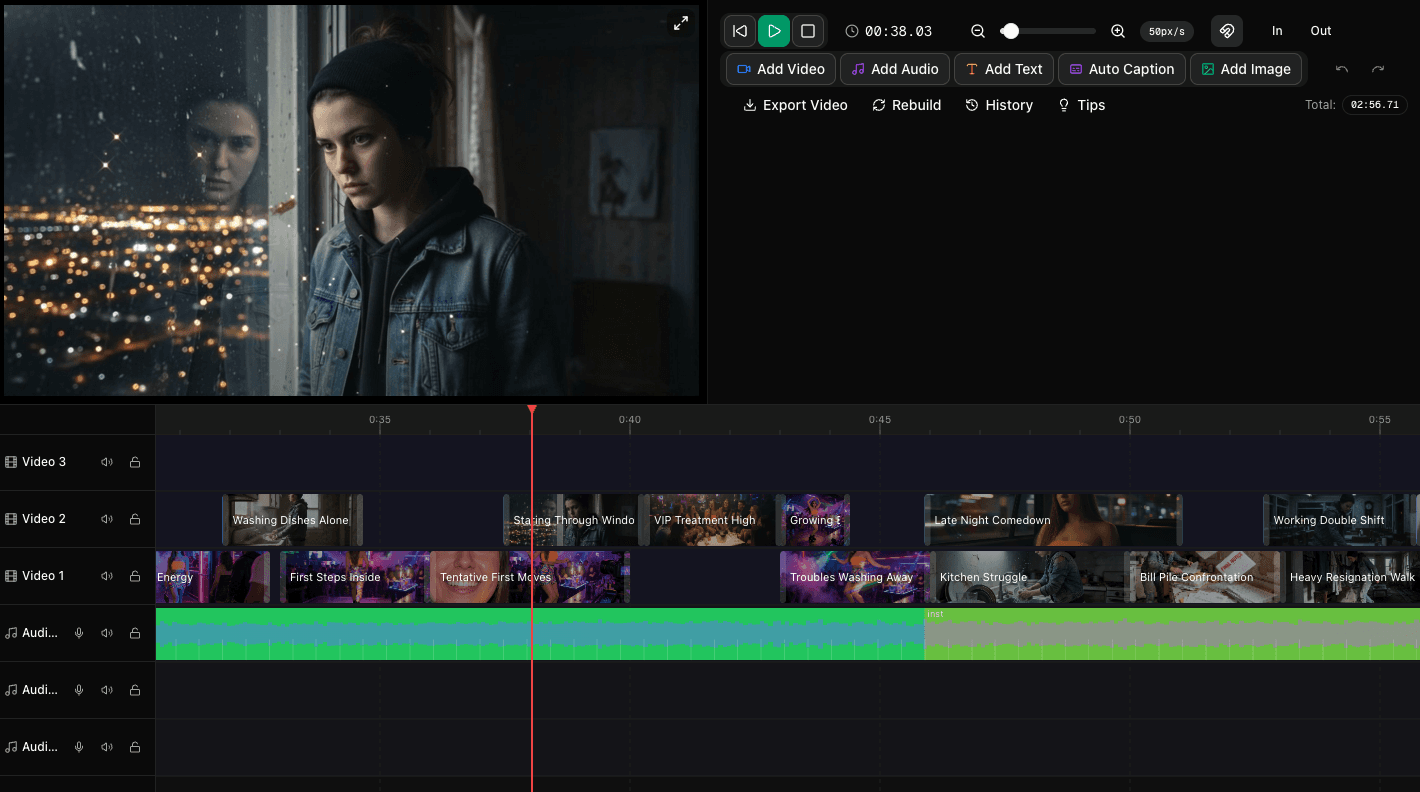
Good AI videos are generated. Great AI videos are selected.
If you want a pro-level AI video, here’s the technique that changes everything: don’t settle for the first version.
One of the biggest mistakes creators make is treating the first AI output like the final answer. In reality, the strongest AI videos usually come from a process of variation, review, and selection. You generate multiple takes, compare them, and keep only the best scenes, shots, and moments.
That’s true whether you’re making a product video, music video, short film, ad, or social clip. The first version might be good. The second or third might be the one with the better pacing, stronger visuals, or more cinematic scene ideas.
In Trumbone, this workflow is especially powerful because you can regenerate your script, regenerate all images and videos, and then mix and match the best results inside the timeline editor. Instead of being locked into one output, you can build a final cut from the strongest pieces of multiple storylines.
The secret: Use AI to create options, then use your taste to make the final video.
Why multiple versions matter so much
AI generation is creative by nature. Even when you start from the same idea, each regeneration can produce different scene structures, visual compositions, camera energy, and storytelling rhythm.
That means your first result is not the only interpretation of your concept. It’s just one interpretation.
For example, imagine you’re creating a 30-second product video for a fitness app. One script version might open with a close-up of a runner tying their shoes. Another might start with a phone screen and bold text. A third might focus on emotional transformation before showing the product. All three could work — but one may fit your audience far better.
The same goes for visuals. One generated shot may have stronger framing. Another may have better motion. A third may simply feel more premium. When you give yourself options, you stop asking, “Is this usable?” and start asking, “Which version is best?” That shift is where quality jumps.
Step 1: Regenerate the script for a completely new take
The easiest way to improve a video is often to improve the underlying structure. In Trumbone, regenerating the script can give you a totally different scene-by-scene plan, including new prompts, pacing, narration ideas, and visual direction.
This is useful because many video problems are actually script problems in disguise. If a video feels flat, repetitive, confusing, or slow, the issue may not be the generated clips. It may be that the concept needs a fresh interpretation.
What changes when you regenerate a script?
- Scene order: A stronger opening or more satisfying ending
- Pacing: Faster cuts, more breathing room, or better escalation
- Visual concepts: New settings, compositions, or transitions
- Narration: Cleaner messaging or a more emotional tone
- Creative angle: A more cinematic, commercial, or story-driven approach
If you’re not sure whether to regenerate, ask yourself a few quick questions:
- Does the opening grab attention in the first few seconds?
- Do the scenes feel visually varied?
- Is the pacing right for the platform and audience?
- Does the script communicate the idea clearly?
- Does it feel memorable?
If the answer is “not quite,” regenerate before spending more time polishing a weak foundation.
This is similar to a principle we talk about in many creative workflows: don’t over-edit a version that isn’t your strongest starting point. A fresh script can save you a lot of time later.
Step 2: Regenerate all images and videos to create better options
Once you have a script direction you like, the next power move is to regenerate all images and videos. This gives you a fresh visual pass across the entire storyline.
Why does that matter? Because visual quality is rarely uniform. In one pass, Scene 2 might look amazing while Scene 5 feels generic. In another pass, Scene 5 suddenly becomes the standout shot. By generating new versions, you increase your chances of finding those standout moments.
In Trumbone, each scene can have multiple image versions, and those storyboard images can then be turned into video clips. That makes it easier to compare different visual interpretations before choosing what belongs in your final edit.
What to look for when comparing regenerated visuals
- Composition: Is the framing stronger or more cinematic?
- Clarity: Is the subject easy to understand instantly?
- Motion quality: Does the clip feel smooth and intentional?
- Style consistency: Does it fit the rest of the project?
- Emotional impact: Does the shot create the feeling you want?
This is especially valuable for music videos, short films, and brand pieces where mood matters as much as information. A regenerated set of visuals may not just look different — it may feel more expensive, more dramatic, or more emotionally precise.
If you’re using reference images, style presets, or character references, keep those consistent while regenerating. That way you can explore new compositions and scene variations without losing overall continuity.
Step 3: Mix and match the best clips in the timeline
Here’s where the magic happens: you don’t need to choose one full version and throw away the rest.
In Trumbone, regenerated storylines can appear on separate tracks in the timeline, making it easy to compare versions side by side and drag the best clips into your main sequence. This is the professional technique behind better AI videos: build the final cut from the best parts of multiple generations.
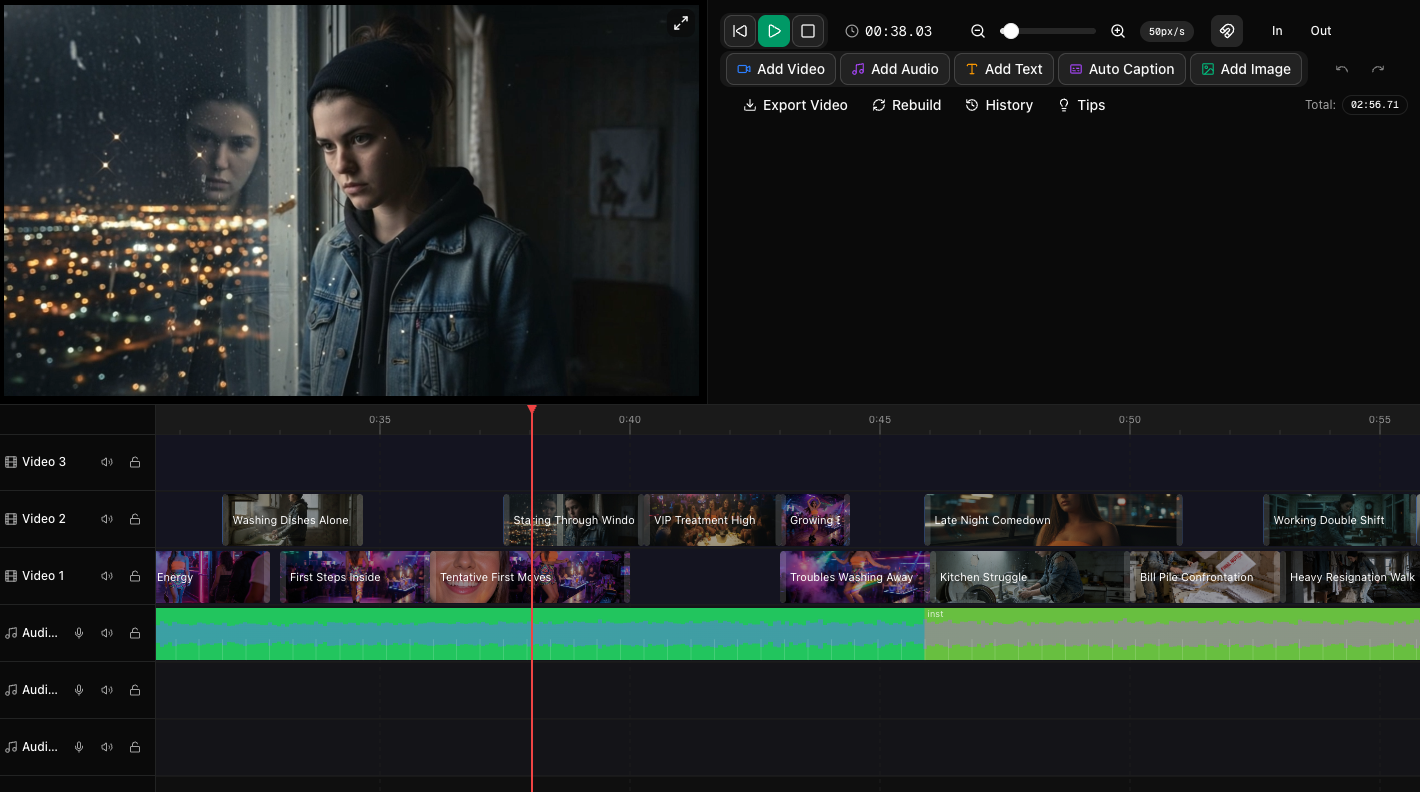
Think of each regenerated version as raw creative material. One version may have the best intro. Another may have the strongest middle montage. A third may have the cleanest ending shot. Instead of committing to one full pass, you can assemble a superior final video on Track 1 using the clips that work best.
A simple cherry-picking workflow
- Generate Version A and review the full storyline.
- Regenerate the script or visuals to create Version B and possibly Version C.
- Place each version on separate timeline tracks for easy comparison.
- Watch scene by scene and identify the strongest clip for each moment.
- Drag your favorites to the main track to build the final sequence.
- Add transitions, text, music, and voiceover once the clip selection is locked.
This workflow gives you much more control over pacing and polish. It also helps you avoid a common issue in AI video creation: accepting a mediocre scene just because it came bundled inside an otherwise good version.
You don’t need every clip to be perfect. You just need enough great clips to assemble a great edit.
How this improves different types of videos
For product videos
Regeneration helps you test different hooks, product reveals, and feature demonstrations. You might find that one version explains the product better, while another looks more premium. Combine both.
For music videos
Multiple versions are especially useful when syncing visuals to energy shifts in a song. One regenerated sequence may better match the chorus, while another has stronger verse imagery. If you’re working with beat-synced scenes, this mix-and-match approach can make the final result feel much more intentional.
For short films and story-driven content
Different versions can reveal stronger emotional beats, better reaction shots, or more cinematic transitions. Even subtle improvements in scene choice can make a story feel more coherent and immersive.
For social content and ads
When every second matters, testing alternate openings is huge. A different first shot or first line can dramatically change retention. Regenerate, compare, and keep the opener that hits hardest.
Practical tips for getting better results from regeneration
- Regenerate early, not just at the end. If the direction feels off, fix it before spending time on detailed edits.
- Compare with a clear goal. Don’t just ask which version is prettier. Ask which version better serves the message, mood, or audience.
- Keep notes while reviewing. Mark standout scenes so you can assemble faster in the timeline.
- Preserve consistency where needed. Use character references, style references, and stable visual direction when you want continuity across versions.
- Finish with editing, not before. Choose your best clips first, then add text overlays, transitions, narration, and audio polish.
If you want to improve your editing decisions after generation, it can also help to think in terms of roles for each scene: hook, setup, proof, payoff, or ending. That makes it easier to identify which regenerated clip performs each job best.
The cost of better options
There is one important tradeoff: regeneration uses additional tokens because each new script, image set, and video generation creates new AI output.
That means experimentation has a cost — but it’s often the cost that leads to better work. Instead of spending all your effort trying to force one weak version into shape, you’re investing in better raw material from the start.
For creators who like to explore multiple directions, subscribers typically get the best value for experimenting regularly. If your workflow involves testing alternate scripts, refreshing visuals, and building final cuts from several versions, having a plan that supports iteration makes a real difference.
The key is to regenerate strategically. Don’t create endless versions with no decision process. Create a few strong alternatives, review them with intent, and then commit to the best pieces.
Your taste is the final tool
AI can generate scenes, clips, narration, and variations at impressive speed. But the final quality still comes from human judgment.
That’s why the best creators don’t just generate once and hope for the best. They direct the process. They compare options. They choose stronger moments. They shape the final cut with intention.
So if you’ve been wondering why some AI videos feel merely decent while others feel polished and professional, the answer is often simple: the best ones were curated.
Generate more than one version. Regenerate the script when the concept needs a fresh angle. Regenerate images and videos when the visuals need stronger options. Then use the timeline to cherry-pick the best clips and build your ideal sequence.
That’s the secret to perfect AI videos.
If you want to keep refining your workflow, you may also enjoy exploring topics like story structure, pacing, and editing strategy in posts such as How to Make AI Videos Look More Cinematic and Common AI Video Mistakes and How to Fix Them.